Dungeons
Each boss is only measured against itself at the same difficulty, and your usual is the middle of your last 12 kills, so it is your form now.
Combat meter for Aion 2
Truesight sits over the game and reads its own traffic. It shows everyone's damage as it happens, keeps every fight, and tells you why your number moved: the party, the gear, the luck, or you.
Version 1.0.0 · 141.9 MB · Windows 10 or 11, 64-bit · Before you install
What changed
Example report · Fire Temple · Conquest [Normal]
With a Chanter and a Templar along, the same skills landed 15% harder, and Ruinous Blow did more of the work. Your gear did not change. That is the kind of answer Truesight gives you after every run.
Piece by piece
The example run against the last time here. The pieces multiply back to the whole change.
| Piece | Bar | Change |
|---|---|---|
| How hard your hits landedA Chanter and a Templar joined, with their buffs up from the pull. | +15% | |
| Hits a secondTwo more dodges than last time. | −3% | |
| Time on the bossThe boss could be hit for more of the fight. | +2% | |
| Crits and doublesWithin chance. | +1% | |
| Which skills did the damageRuinous Blow did 14% of your damage, up from 9%. | +7% | |
| The whole change1.15 × 0.97 × 1.02 × 1.01 × 1.07 = 1.23 | +23% |
The meter
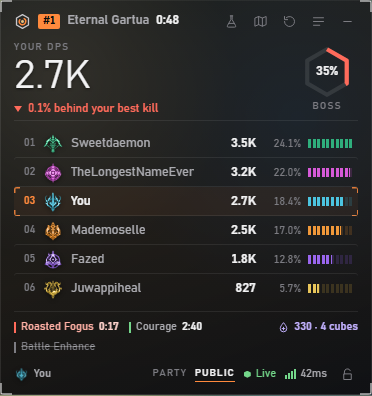
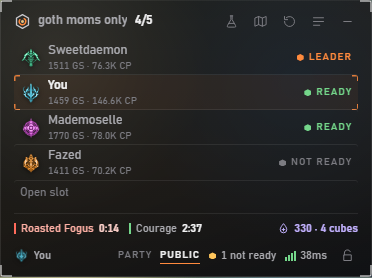
The meter sits at the top right of the screen and finds the game by itself. Your first hit starts a fight.
The tools
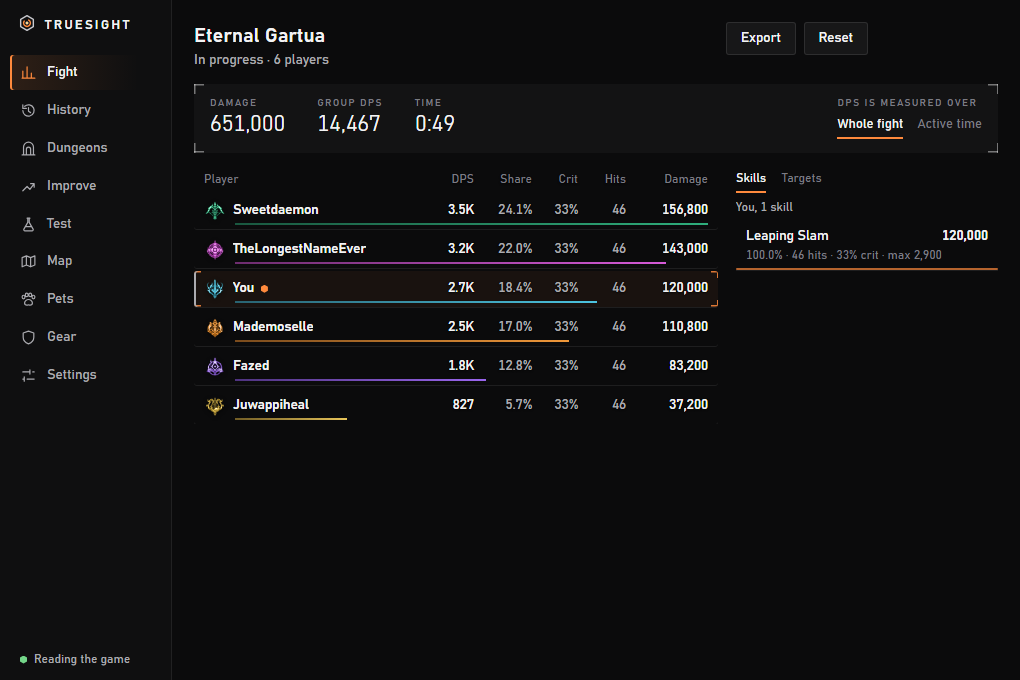
Details, history and settings open with Ctrl+Alt+D. Every fight is saved the moment it ends, with what each skill did.
Each boss is only measured against itself at the same difficulty, and your usual is the middle of your last 12 kills, so it is your form now.
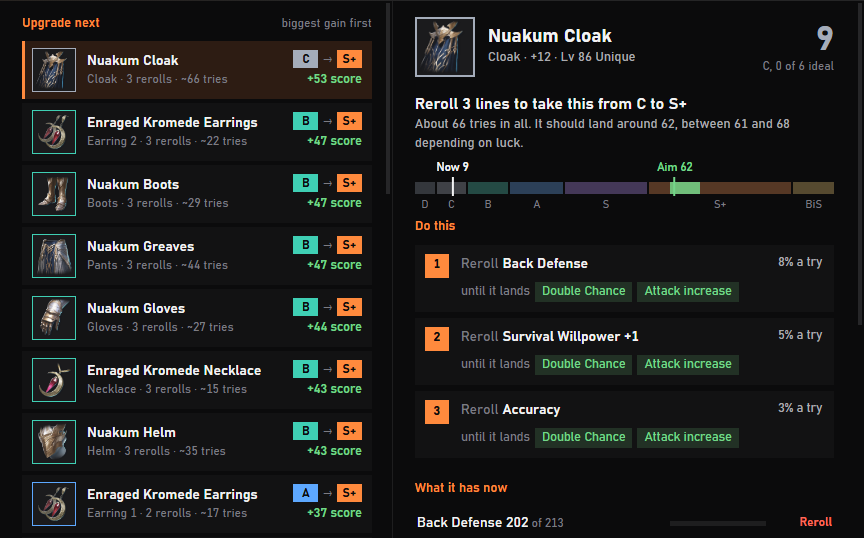
The three moves worth making first, the stats your gear lacks against the best builds, and what one more point is worth on your own hits.
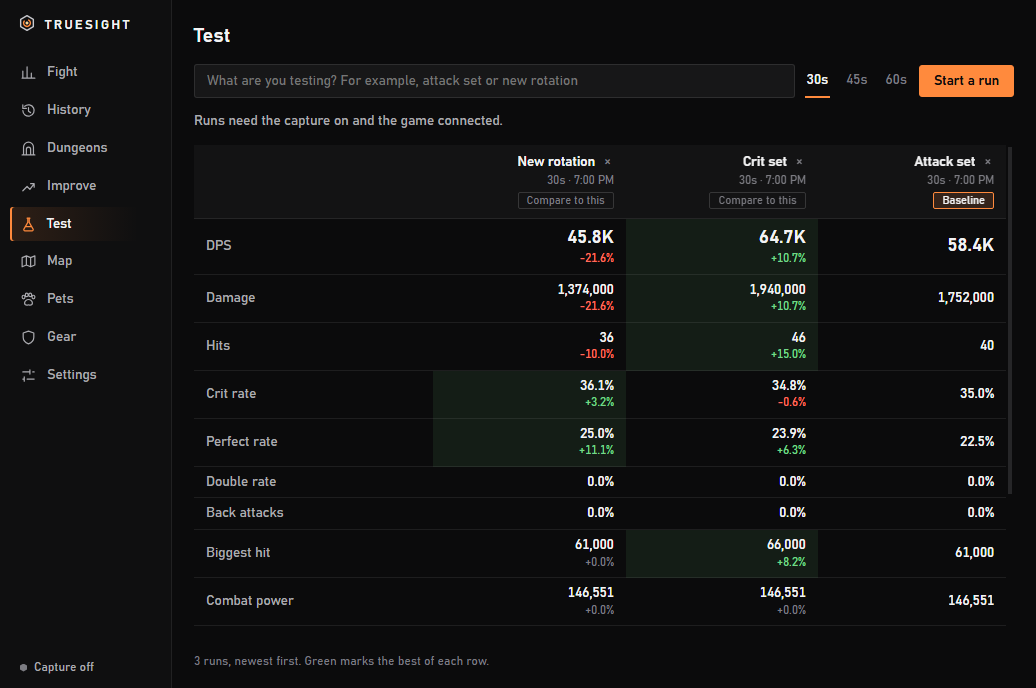
Runs stop themselves at 30, 45 or 60 seconds, so every run gets an equal window. Only your own hits count.
Gear
Players
Players who switch on sharing in Truesight show up here, with their best and usual DPS on each boss and their latest runs. The rest of their party shows by class, never by name.
Out of the way
| Ctrl+Alt+L | Lock. Clicks pass through to the game. |
| Ctrl+Alt+R | Reset the fight |
| Ctrl+Alt+P | Switch between Party and Public |
| Ctrl+Alt+T | Start or cancel a test run |
| Ctrl+Alt+M | Show or hide the meter |
| Ctrl+Alt+D | Details, history and settings |
| Ctrl+Alt+G | Gear overlay |
How it works
Truesight reads the game's network traffic through Npcap, the capture driver that comes with Wireshark. It looks only at the game's port, rebuilds each connection and decodes the messages. No other process is touched, and nothing leaves your PC unless you switch on sharing.
Your fight log and settings stay on your PC. Sharing is off until you switch it on, and then only your own boss kills come to this site, with the rest of your party by class, never by name.
When a game patch changes the messages, the meter stops reading until it is updated. A patch costs you the meter for a while, not wrong totals.
Download
141.9 MB · November 2, 2026 · Windows 10 or 11, 64-bit. New versions download in the background and take over the next time it starts. Your fight log and settings always stay.